Steal a Brainrot thumbnail ideas
that make the heist look real.

A good Steal a Brainrot thumbnail shows one heist: the Secret brainrot you grabbed, the base you broke into, the face of the player who lost it. Below: 6 examples generated with Base.Tube using the game's real brainrots, bases and conveyor, then the style rules, five layouts and a quick way to make your own.

See all 6 examples or open the Steal a Brainrot thumbnail maker

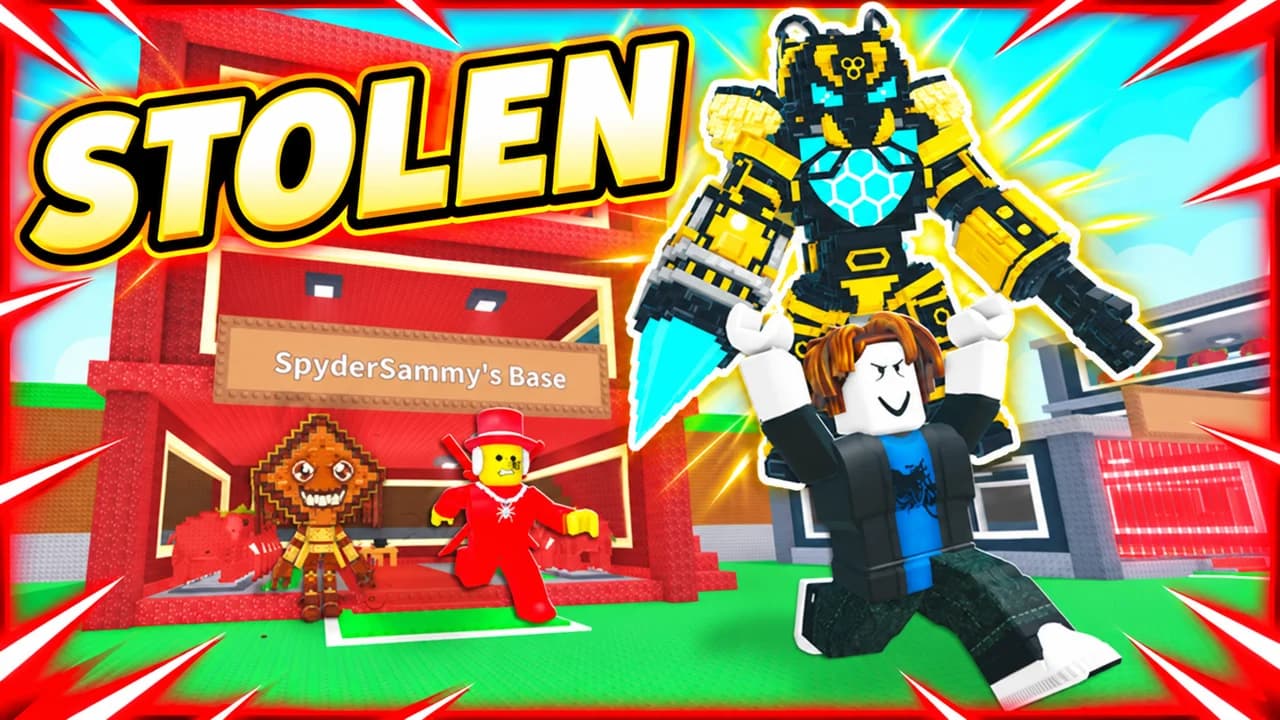
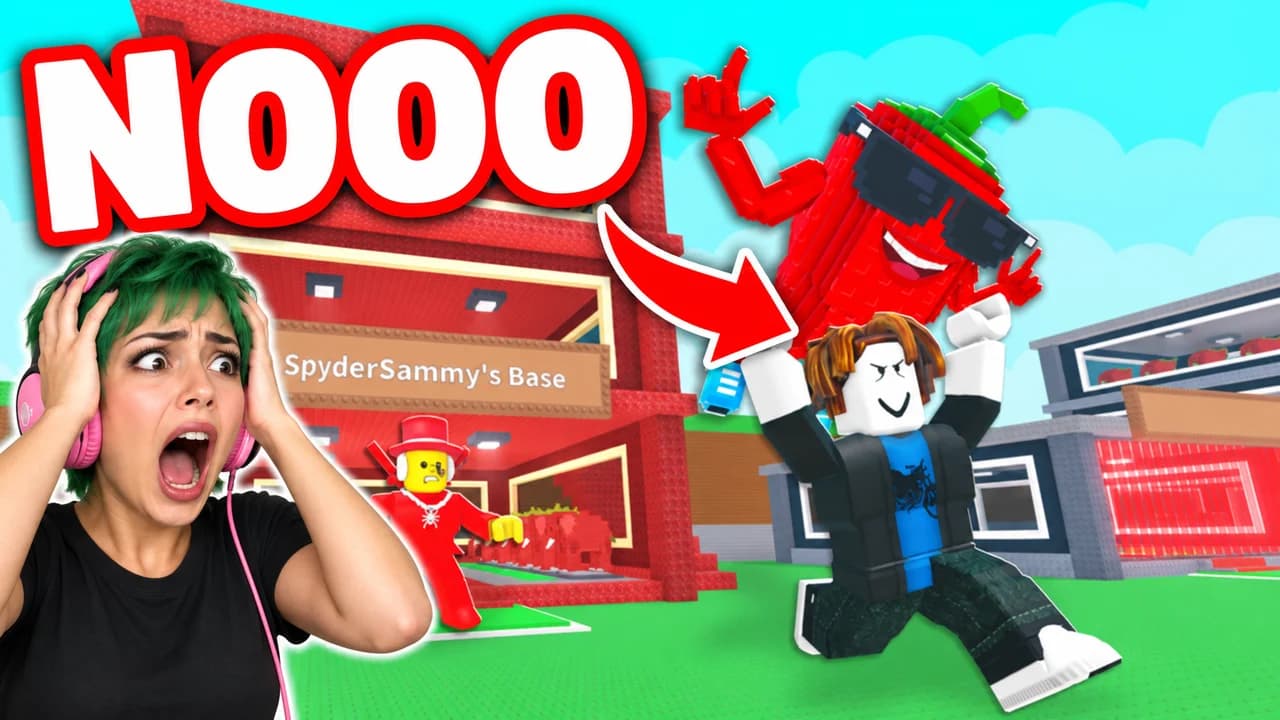
Steal a Brainrot thumbnail: a Roblox avatar running away from SpyderSammy's red base with the Bumbatron held over its head, text STOLEN
Heist: running off with the Bumbatron
Examples

6 Steal a Brainrot-style thumbnail examples

Every example is generated with Base.Tube in the game's own look, with its real characters and places. No real people, no copied thumbnails. Select one to see the prompt behind it.

  • Heist: running off with the Bumbatron
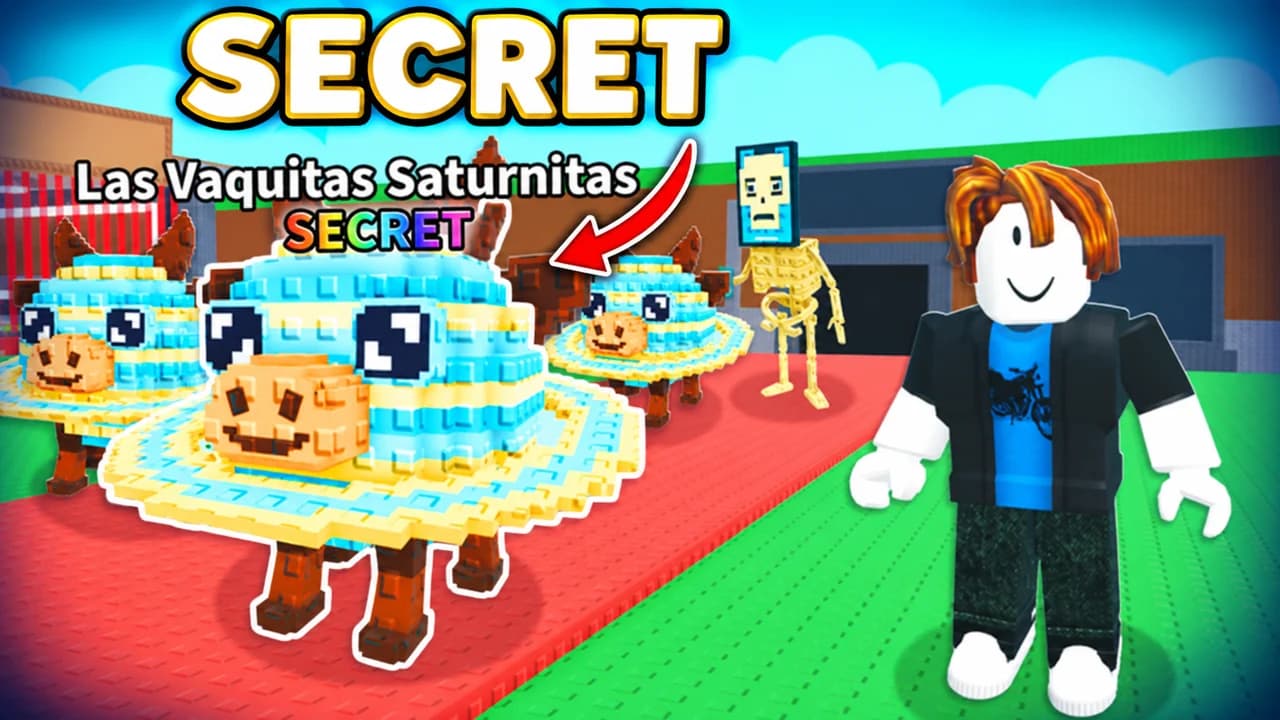
  • Rare spawn: Las Vaquitas Saturnitas, a Secret
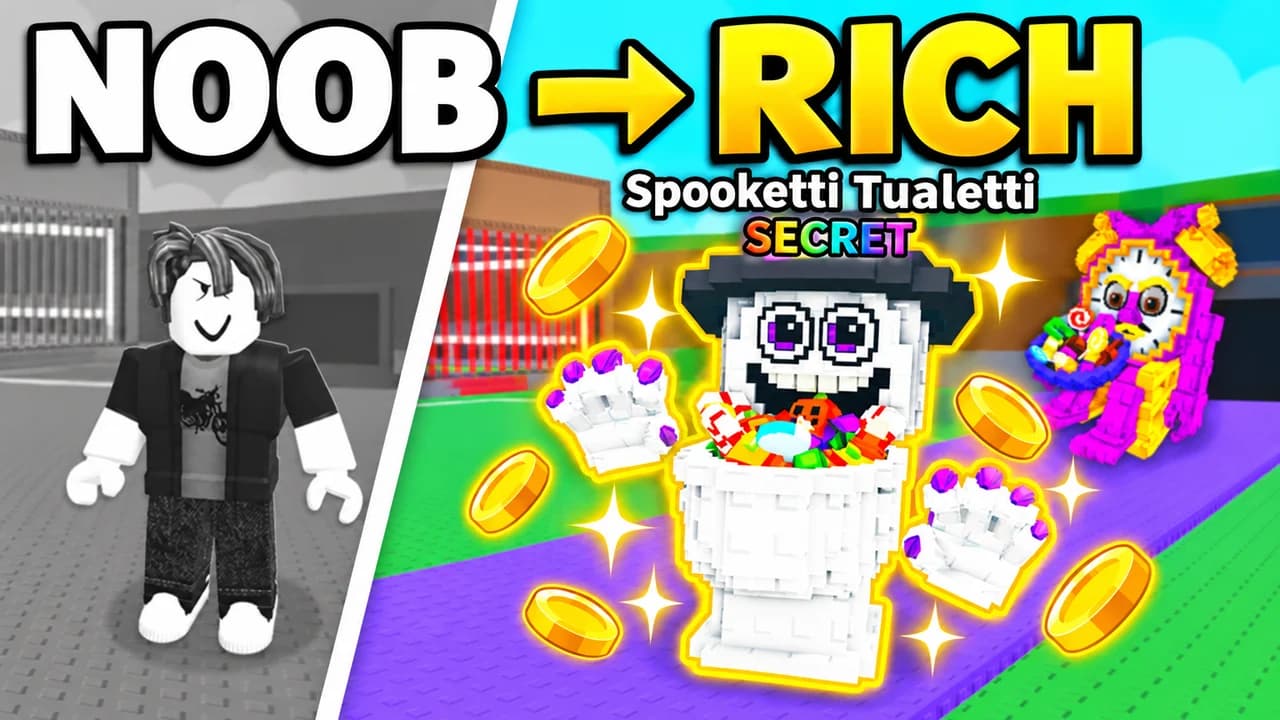
  • Rich base: from noob to a Secret brainrot
  • Face cam: the moment my brainrot was stolen
  • Defense: guarding the base for 24 hours
  • Heist: grabbing a Secret brainrot
Base.Tube Studio

Make a Steal a Brainrot-style thumbnail for your next video.

Describe your video in one line. Base.Tube makes three Steal a Brainrot thumbnails in your channel’s style, ready to download and test on YouTube.

  • Three ideas for each video
  • Your face and your channel’s style
  • Change anything in plain words
Generate a Steal a Brainrot-style thumbnail (opens in a new tab)
Style recipe

The Steal a Brainrot thumbnail style, rule by rule

Palette

  • Brainrot God gold #FFC21AThe rare brainrot, the money counter and the main word
  • Secret black and white #F2F2F2Glow around a Secret brainrot, text on dark backgrounds
  • Laser red #FF2E3BLocked base lasers, alarms, arrows and circles
  • Mythic pink #FF3FD0Mythic rarity glow and playful accents
  • Roblox sky blue #3FA9FFDaylight skies behind the bases
  • Outline black #0B0B10Thick text outlines and drop shadows
Composition
One heist per image: a brainrot being carried away, a base before and after, a rare spawn on the conveyor, a player guarding the door. The brainrot is the star, so show it bigger than the Roblox avatars. A piece of the game's interface (money per second, the rarity tag, the base lock timer) tells fans which game it is. Keep the bottom-right corner clear.
Text
One to three words in heavy rounded capitals, yellow or white with a thick black outline. Name the brainrot or the result: SECRET, STOLEN, RICH BASE.
Faces & expressions
Roblox faces stay simple, so the pose does the work: running with the brainrot on the head, arms up next to a full base, hands on the head in front of an empty one. A face cam of the creator adds the real shock.
Background
The row of player bases under a bright Roblox sky for heists and base tours; a dark night or a glowing rarity colour for rare spawns. Blur it so the brainrot and the avatar stand out.
Props & details
  • The brainrot carried above an avatar's head while running
  • The conveyor with brainrots walking on it and their price tags
  • The base lock and its red laser door
  • Money per second counters and rarity tags (Mythic, Brainrot God, Secret)
  • Red arrows and circles on the stolen brainrot
Layout recipes

Five layouts for Steal a Brainrot thumbnails

  1. Heist

    The steal itself: an avatar sprinting out of a base with a brainrot over its head, the owner chasing behind. Made for "I stole the best brainrot" and trolling videos.

    Prompt idea16:9 YouTube thumbnail for a Steal a Brainrot video: a Roblox avatar running out of a player base carrying a rare brainrot over its head, the owner chasing, laser door behind, short text, keep the bottom-right corner clear, be creative with the composition

    Generate a Heist layout in the Base.Tube Studio (new tab)
  2. Rare Spawn

    One brainrot as the hero, huge and glowing in its rarity colour on the conveyor, tiny avatars staring at it. Use it for Secret and Brainrot God spawns and new brainrots.

    Prompt idea16:9 YouTube thumbnail for a Steal a Brainrot video: a giant Secret brainrot glowing on the conveyor, tiny Roblox avatars looking up at it, rarity tag above, short text, keep the bottom-right corner clear, be creative with the composition

    Generate a Rare Spawn layout in the Base.Tube Studio (new tab)
  3. Rich Base

    Before and after in one frame: an empty base on one side, a base full of gold and Secret brainrots on the other. Made for "noob to rich" and rebirth videos.

    Prompt idea16:9 YouTube thumbnail for a Steal a Brainrot video: split before/after, an empty grey base on the left and a base packed with glowing brainrots and money on the right, a big arrow between them, short text, keep the bottom-right corner clear, be creative with the composition

    Generate a Rich Base layout in the Base.Tube Studio (new tab)
  4. Face Cam

    The creator reacting next to the game: a rare spawn, a lost brainrot, a friend who betrayed the base. The face is large on one side, the game on the other. Our examples use an invented streamer.

    Prompt idea16:9 YouTube thumbnail for a Steal a Brainrot video: an invented streamer with a headset reacting in shock on one side, a rare brainrot moment on the other, short text, keep the bottom-right corner clear, be creative with the composition

    Generate a Face Cam layout in the Base.Tube Studio (new tab)
  5. Defense

    Protecting the base: an avatar standing at the locked laser door with a bat, thieves lining up outside. Works for "protecting my base for 24 hours" and trap videos.

    Prompt idea16:9 YouTube thumbnail for a Steal a Brainrot video: a Roblox avatar guarding a locked base with red lasers, a crowd of thieves outside, rare brainrots behind, short text, keep the bottom-right corner clear, be creative with the composition

    Generate a Defense layout in the Base.Tube Studio (new tab)

What a Steal a Brainrot thumbnail has to do

Steal a Brainrot videos all share the same setting: a row of player bases, a conveyor full of strange brainrots, Roblox avatars running in every direction. A viewer scrolling through results sees dozens of them side by side. The setting alone does not make anyone click.

What makes them click is the story of this one video: the Secret brainrot that just spawned, the base you emptied in ten seconds, the friend who betrayed you. A Roblox Steal a Brainrot thumbnail has one job: show that story in a single look, at phone size.

The brainrot is the star

Fans know the brainrots by heart. Tralalero Tralala, Tung Tung Tung Sahur, Brr Brr Patapim: each one has a strong, silly shape that reads even when the thumbnail is tiny. Make the brainrot the biggest object in the frame, bigger than the avatars, and let it look straight at the viewer or be carried away over someone's head.

Use the rarity colours players already read

The game teaches players to read rarity by colour. Gold says Brainrot God, pink says Mythic, black and white with a glow says Secret. Use one of these as the accent of your thumbnail and keep the rest of the frame calm. A gold glow behind a brainrot tells the viewer "this is valuable" before they read a word. Keep red for alarms, laser doors and arrows.

Show the heist, not just the base

A base full of brainrots is nice, but a base being robbed is a story. Pick the moment with movement and stakes:

  • The steal: an avatar sprinting out with the brainrot, the owner chasing.
  • The rare spawn: one huge brainrot on the conveyor, everyone staring.
  • The glow-up: an empty base next to a full one, an arrow between them.
  • The defence: one player at the laser door, a line of thieves outside.
  • The reaction: your face next to the moment it all went wrong.

Text: name the result

Three words is the limit. Use capitals, a heavy rounded font and a thick black outline. The words should add something the image cannot say on its own: STOLEN, SECRET, NOOB → RICH, 24 HOURS. Avoid prices and long numbers; they turn into noise when the thumbnail is small. To compare heavy display fonts, see the YouTube thumbnail fonts guide.

A Steal a Brainrot thumbnail background that stays behind

The Steal a Brainrot thumbnail background sets the mood and nothing else. A bright sky over the bases says "fun heist". A dark night with one glow says "rare spawn". Whatever you choose, blur it or darken it so the brainrot and the avatar stand out. For more ways to keep a background behind the subject, see the YouTube thumbnail backgrounds guide.

Faces and avatars

Roblox faces are simple, so the pose does the work: running, arms up, hands on the head. A face cam of you reacting next to the game adds the real emotion. The examples on this page are generated with Base.Tube and use the game's own brainrots and bases; their face cams show invented people.

Size and checks

Upload at 1280 × 720 pixels, in 16:9. For file size and format limits, see the YouTube thumbnail size guide. Keep the bottom-right corner empty, where YouTube shows the video length. Then put your thumbnail next to other videos in the YouTube thumbnail preview and compare versions with the thumbnail tester. No tool can predict how many people will click before a video is live; when you connect your channel, Base.Tube shows the real impressions and click-through rate of each video.


Checklist

Do this, not that

Do

  • Make the brainrot the biggest thing in the frame; it is what fans click for.
  • Show the rarity with colour and a glow (gold, pink, black and white).
  • Keep the text to three words or fewer, big and outlined.
  • Show a piece of the game's interface, like the rarity tag or the base lock.
  • Leave the bottom-right corner clear for the video length.

Don't

  • Don't fill the frame with prices, numbers and columns of brainrots; pick one.
  • Don't hide the brainrot behind avatars, effects and emojis.
  • Don't promise a brainrot or a heist the video never shows.
  • Don't use thin fonts or small text; they disappear on a phone.
FAQ

Questions about Steal a Brainrot thumbnails

What makes a good Steal a Brainrot thumbnail?
One heist and one brainrot, shown big. Make the brainrot glow in its rarity colour, show who is stealing it or who lost it, and add one to three words such as STOLEN or SECRET. Check it at phone size next to other Steal a Brainrot videos; if the brainrot is not the first thing you see, make it bigger.
What is a good Steal a Brainrot thumbnail background?
The row of player bases under a bright Roblox sky works for heists and base tours. For a rare spawn, use a dark night or a single glowing rarity colour so the brainrot pops. Blur the background either way: the game is full of small details that turn into noise at phone size.
What font do Steal a Brainrot thumbnails use?
Most use a heavy, rounded, all-caps display font with a thick black outline, in yellow or white. Free fonts with that feel include Luckiest Guy, Lilita One and Bangers, all on Google Fonts. Size and outline matter more than the exact font.
How do I make a Steal a Brainrot thumbnail?
Decide the one moment your video promises: the steal, the rare spawn, the full base. Record or generate that scene with the brainrot large, add one to three words in a heavy outlined font, export at 1280 × 720 pixels and compare it with other videos in a feed preview before you upload.
Which brainrots work best in a thumbnail?
The ones fans recognise at a glance and the rarest ones in your video. Tralalero Tralala, Tung Tung Tung Sahur and Brr Brr Patapim have strong, simple shapes that read at phone size. For Secret and Brainrot God spawns, the rarity glow tells the story even before the name.
Is there a free Steal a Brainrot thumbnail maker?
Any free image editor works if you follow the rules on this page. If you would rather describe your video and get options, the Base.Tube Studio makes Steal a Brainrot thumbnails in this style: pick a layout, say what happens, and keep the version you like.
Base.Tube Studio

Make a Steal a Brainrot-style thumbnail
for your next video.

Describe your video, pick a layout, and generate options in the Base.Tube Studio. Once the video is live, connect your channel to see its real impressions and click-through rate.