Battlefield 6 thumbnail ideas
with the whole building coming down.

A good Battlefield 6 thumbnail shows the one thing other shooters cannot: a building collapsing, a tank holding a flag, a whole squad in the chaos. Below: 6 examples generated with Base.Tube using the game's real soldiers, vehicles, maps and HUD, then the style rules, five layouts and a quick way to make your own BF6 thumbnail.

See all 6 examples or open the Battlefield 6 thumbnail maker

Battlefield 6 thumbnail: soldiers by the Welcome to Las Vegas sign while a hotel tower burns, the fire zoomed in a circle, text BRING IT DOWN
Destruction: a Las Vegas tower in flames
Examples

6 Battlefield 6-style thumbnail examples

Every example is generated with Base.Tube in the game's own look, with its real characters and places. No real people, no copied thumbnails. Select one to see the prompt behind it.

  • Destruction: a Las Vegas tower in flames
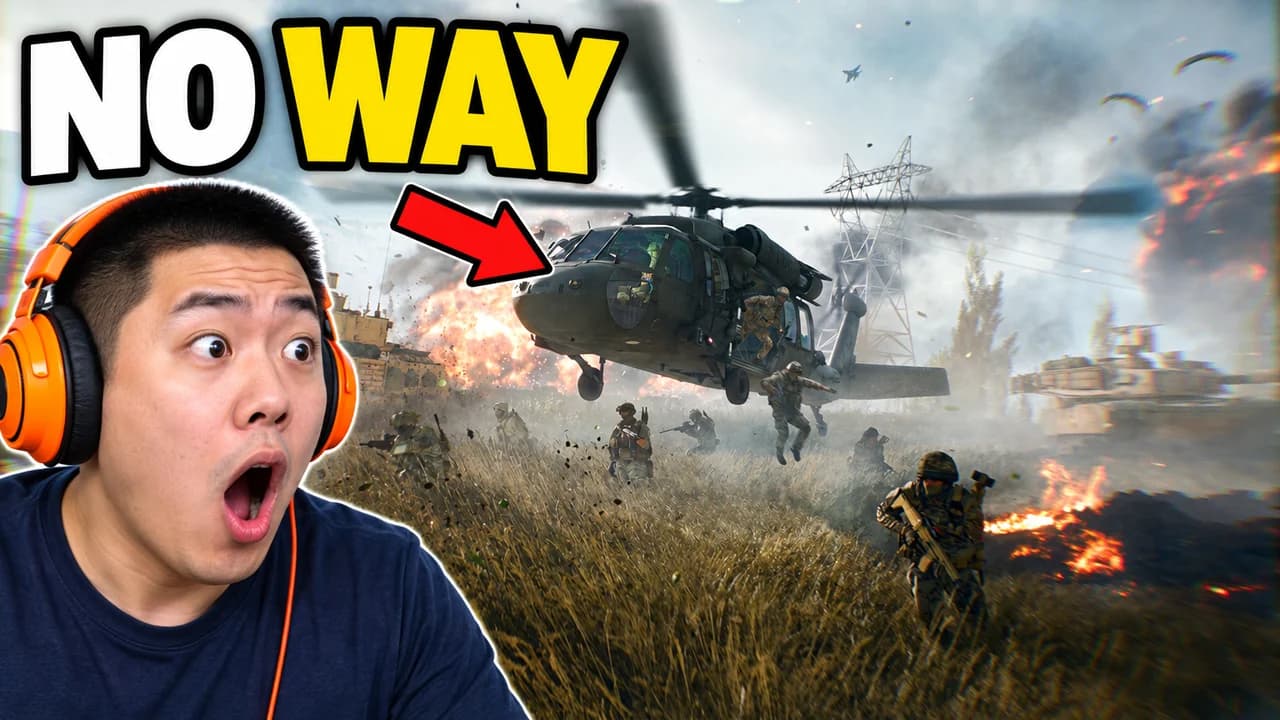
  • Face cam: a helicopter lands in the middle of the fight
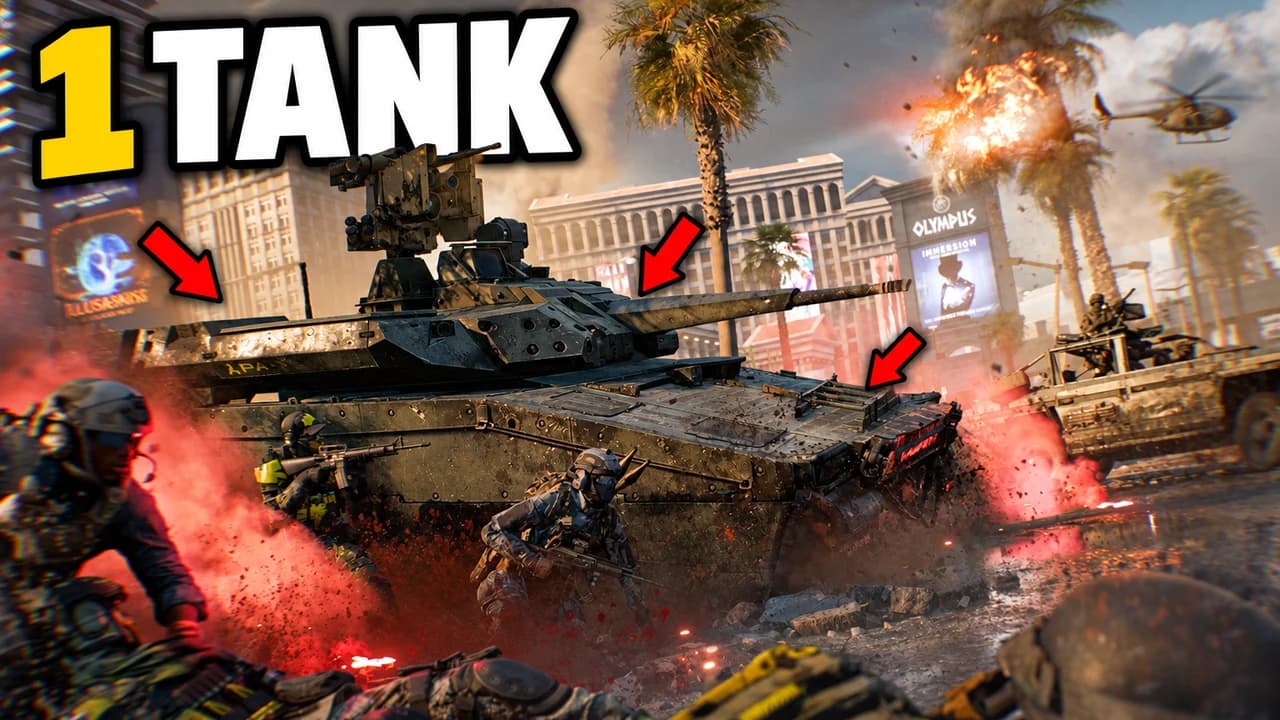
  • Vehicle: one tank against the whole team
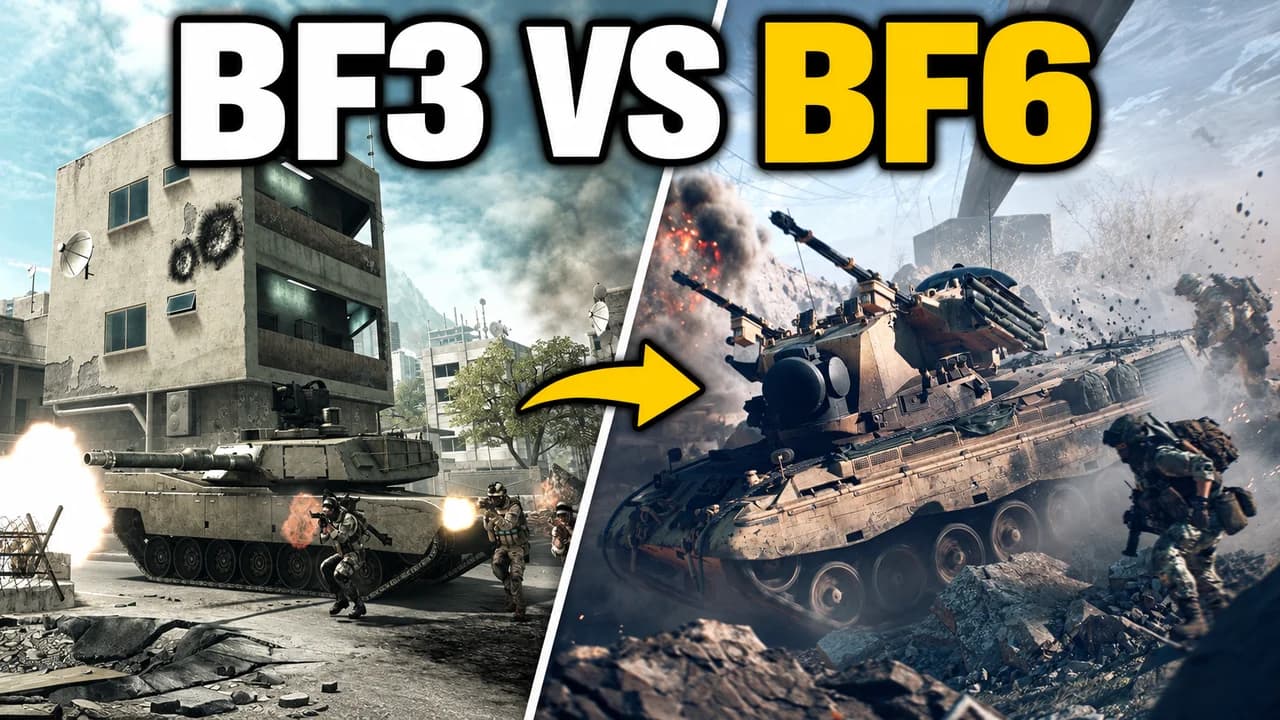
  • Then and now: Battlefield 3 against Battlefield 6
  • Squad: saving a teammate to hold flag B
  • Challenge: picking off a far enemy from the trench
Base.Tube Studio

Make a Battlefield 6-style thumbnail for your next video.

Describe your video in one line. Base.Tube makes three Battlefield 6 thumbnails in your channel’s style, ready to download and test on YouTube.

  • Three ideas for each video
  • Your face and your channel’s style
  • Change anything in plain words
Generate a Battlefield 6-style thumbnail (opens in a new tab)
Style recipe

The Battlefield 6 thumbnail style, rule by rule

Palette

  • Explosion orange #FF6A13Fire, explosions and the main word
  • Dust beige #C9B48ASmoke, sand and collapsing concrete
  • Squad green #3FD06BFriendly markers, squad icons and captured flags
  • Enemy red #E5322DEnemy markers, damage and danger
  • Steel grey #2B3036Calm backgrounds, armour and night scenes
  • Outline black #0A0A0CThick text outlines and shadows
Composition
One big moment of war per image: a building falling, a tank firing, a helicopter going down, a squad reviving a teammate. A realistic first-person or close third-person view with the game's HUD (minimap, flag markers, squad icons) makes it read as Battlefield at once. Keep the bottom-right corner clear for the video length.
Text
One to three words in heavy condensed capitals, white or orange with a thick black outline. Never a block of patch notes or loadout stats.
Faces & expressions
Soldiers wear helmets and masks, so action carries the emotion: diving from an explosion, dragging a teammate, aiming down a scope. On face-cam thumbnails the creator reacts with one big emotion next to the game.
Background
A real map with smoke and dust in the air, warm with fire for big fights or cold and grey for tense moments. Let the dust soften the background so the subject stays sharp.
Props & details
  • A building or tower mid-collapse
  • Tanks, helicopters and jets
  • Conquest flags and squad markers
  • The four class icons (Assault, Engineer, Support, Recon)
  • Red arrows and circles on the key detail
Layout recipes

Five layouts for Battlefield 6 thumbnails

  1. Destruction

    The building is the hero: a wall, a tower or a whole block coming down, soldiers diving away. Made for destruction, "bring it down" and sniper videos.

    Prompt idea16:9 YouTube thumbnail for a Battlefield 6 video: a building collapsing in a huge cloud of dust and fire, soldiers diving away, realistic first-person HUD, orange and beige, short text, keep the bottom-right corner clear, be creative with the composition

    Generate a Destruction layout in the Base.Tube Studio (new tab)
  2. Face cam

    The creator reacting next to the game: a crazy kill, a vehicle flip, a helicopter crash. Use your own face; our examples use an invented streamer.

    Prompt idea16:9 YouTube thumbnail for a Battlefield 6 video: an invented streamer with a headset reacting in shock on one side, a big Battlefield 6 vehicle or explosion moment on the other, short text, keep the bottom-right corner clear, be creative with the composition

    Generate a Face cam layout in the Base.Tube Studio (new tab)
  3. Vehicle

    One tank, helicopter or jet shown big, in action, with the battlefield around it. Made for vehicle guides and "one tank vs the team" videos.

    Prompt idea16:9 YouTube thumbnail for a Battlefield 6 video: a tank or helicopter shown huge and firing on a real map, smoke and tracers around it, realistic look, short text, keep the bottom-right corner clear, be creative with the composition

    Generate a Vehicle layout in the Base.Tube Studio (new tab)
  4. Then & Now

    An old Battlefield next to the new one: the same kind of map, class or moment in both. Made for comparisons and "is it back" videos.

    Prompt idea16:9 YouTube thumbnail for a Battlefield 6 video: split frame comparing an older Battlefield game with Battlefield 6, the same kind of scene on both sides, older look on the left, sharp modern look on the right, short text, keep the bottom-right corner clear

    Generate a Then & Now layout in the Base.Tube Studio (new tab)
  5. Squad

    Four soldiers working together: a revive, a flag capture, a push. Made for squad play, class guides and Conquest videos.

    Prompt idea16:9 YouTube thumbnail for a Battlefield 6 video: a squad of four soldiers capturing a Conquest flag together, one reviving a teammate, flag marker and squad icons in the HUD, short text, keep the bottom-right corner clear, be creative with the composition

    Generate a Squad layout in the Base.Tube Studio (new tab)

What makes a Battlefield 6 thumbnail work

Battlefield 6 competes with every other shooter on YouTube, and many of those thumbnails look the same: a soldier, a gun, a red arrow. The Battlefield 6 thumbnails that stand out show what the series is known for: large-scale war and destruction. A building coming down, a tank pushing a flag, a helicopter falling out of the sky.

Most viewers see your thumbnail small, on a phone or in a sidebar. Big shapes survive that size: a collapsing tower, a tank, an explosion. Small details like a weapon attachment or a scoreboard do not.

Destruction is the hook

Destruction is the thing Battlefield does that other shooters do not, so put it in the frame whenever the video has it. Show the moment of collapse, not the rubble after it: the wall cracking, the dust exploding outward, soldiers diving away. A rocket trail or a red arrow leading to the cause tells the story in one look.

One moment of war per image

Each image should promise one thing. A tank in the middle of the enemy team. A helicopter brought down by a single rocket. A squad dragging a teammate to cover while holding a flag. A sniper in a tower that is falling apart. When you try to show all of them at once, the thumbnail turns into noise.

Soldiers wear helmets and masks, so their faces cannot carry the emotion. Action does: diving, dragging, aiming. On face-cam thumbnails, your own face adds the reaction the soldiers cannot show.

Show the game's HUD

A piece of the real interface tells fans this is Battlefield 6 and not another shooter: Conquest flag markers, green squad icons, red enemy markers, the minimap, the class icons. It also sets the stakes. A flag marker labelled B with enemies all around it says "hold the point" without any text.

Five layouts for five kinds of video

Most Battlefield 6 videos fit one of five shapes: destruction, face cam, vehicle, then and now or squad. The layout recipes above give the structure of each. Pick the layout that matches the promise of your video, then change the map, the colour and the words. Keeping the same layout across a series helps returning viewers spot your videos.

Text: three words, heavy and condensed

Use one to three words in heavy condensed capitals, white or orange, with a thick black outline: BRING IT DOWN, 1 TANK, HOLD B. The words add what the image cannot say on its own. To compare heavy display fonts, see the YouTube thumbnail fonts guide.

A Battlefield 6 thumbnail background

Use a real map with smoke and dust in the air. Fire and orange light suit big fights, cold grey suits tense moments. The dust softens the background on its own, so the subject in front stays sharp. More ideas in the YouTube thumbnail backgrounds guide.

Size and checks

Upload at 1280 × 720 pixels, in 16:9; for file limits see the YouTube thumbnail size guide. Keep the bottom-right corner clear for the video length. Then put your thumbnail next to other shooter videos in the YouTube thumbnail preview and compare versions with the thumbnail tester.

No tool can predict how many people will click before a video is live. The real answer comes from YouTube. When you connect your channel, Base.Tube shows the real impressions and click-through rate of each video.


Checklist

Do this, not that

Do

  • Show one big moment of war, a collapse, a vehicle or a squad, readable in one second.
  • Use destruction; it is the thing Battlefield does that other shooters do not.
  • Add a real piece of the HUD, like flag markers, squad icons or the minimap.
  • Keep the text to three words or fewer, with a thick outline.
  • Leave the bottom-right corner clear for the video length.

Don't

  • Don't show a gun or a skin alone with no situation.
  • Don't fill the frame with loadout stats, patch notes or columns of logos.
  • Don't let smoke and dust hide the subject; keep the hero sharp.
  • Don't use thin fonts or small text; they disappear on a phone.
FAQ

Questions about Battlefield 6 thumbnails

What makes a good Battlefield 6 thumbnail?
One big moment that only Battlefield can show: a building coming down, a tank against a team, a helicopter falling, a squad holding a flag. Make the subject large, add a piece of the HUD so fans know the game, and keep the text to one to three words. Check it at phone size before you upload.
What should a BF6 thumbnail show?
The promise of the video, not a menu. For destruction videos, the collapse. For vehicle videos, the tank or helicopter in action. For squad videos, four soldiers working together. For comparisons, a split frame with the old game and Battlefield 6. One idea per image.
What is a good Battlefield 6 thumbnail background?
A real map with smoke and dust in the air: warm with fire for big fights, cold and grey for tense moments. Dust is useful because it softens the background naturally, so the soldier or vehicle in front stays sharp. Avoid busy, clean backgrounds full of small details.
What font do Battlefield 6 thumbnails use?
Most use a heavy, condensed, all-caps font in white or orange with a thick black outline, which matches the military look of the game. Free options include Anton, Bebas Neue and Oswald on Google Fonts. Keep it large enough to read on a phone.
Is there a free Battlefield 6 thumbnail maker?
You can build one by hand in any free image editor with the rules on this page. If you would rather describe your video and get options, the Base.Tube Studio makes Battlefield 6 thumbnails from one line about your video: pick a layout, say what happens, and keep the version you like.
Base.Tube Studio

Make a Battlefield 6-style thumbnail
for your next video.

Describe your video, pick a layout, and generate options in the Base.Tube Studio. Once the video is live, connect your channel to see its real impressions and click-through rate.