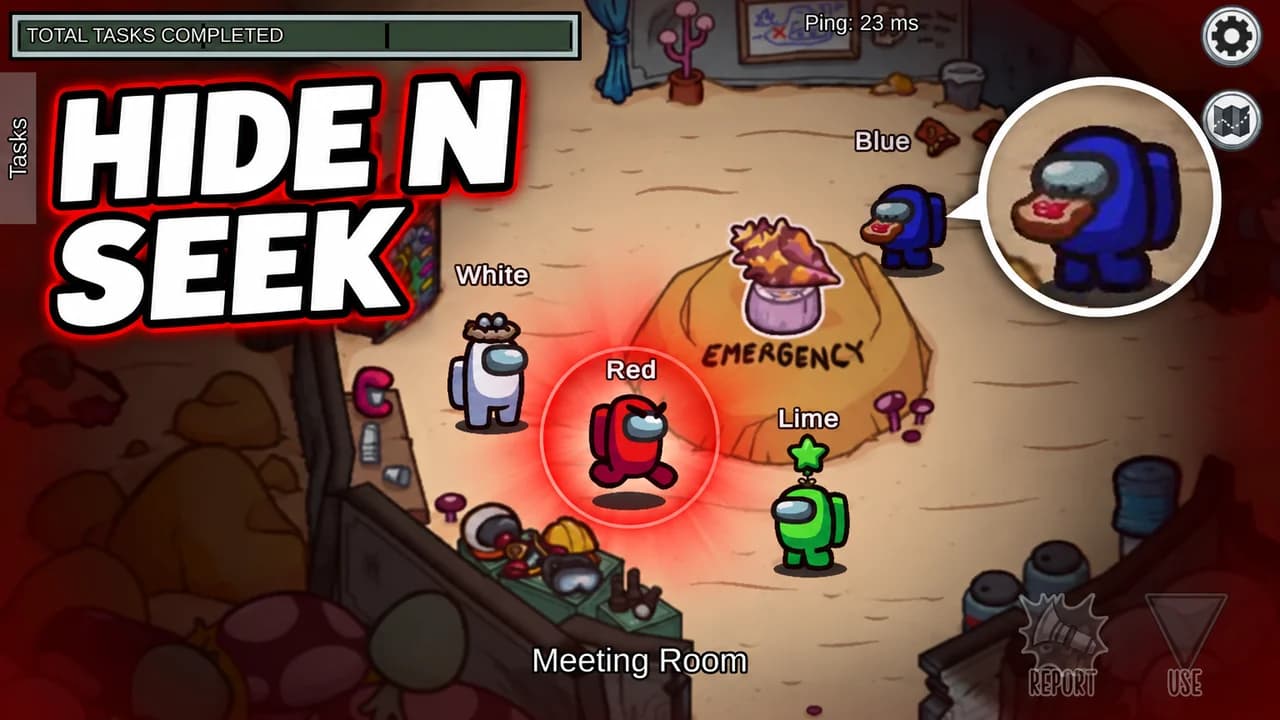
What makes an Among Us thumbnail work
Among Us is a game about one question: who is lying? The thumbnails that work ask that question in a single image. A crewmate half out of a vent, a voting screen stacked against the wrong player, a lime bean drifting into space. The viewer sees the moment, wants to know how it happened, and clicks.
Most people see your thumbnail small, on a phone or in the sidebar. Crewmates are simple shapes in strong colours, which is a gift at that size: a red bean on a dark floor reads instantly. Fine details like tiny name tags or a full lobby of players do not.
One crewmate, one secret
Pick the one crewmate the story is about and make it large. Its colour is its face, so choose it with intent: red for the obvious suspect, black or purple for a quiet impostor, a bright colour like yellow or lime for the innocent victim. The rest of the crew can stay small, out of focus or turned away.
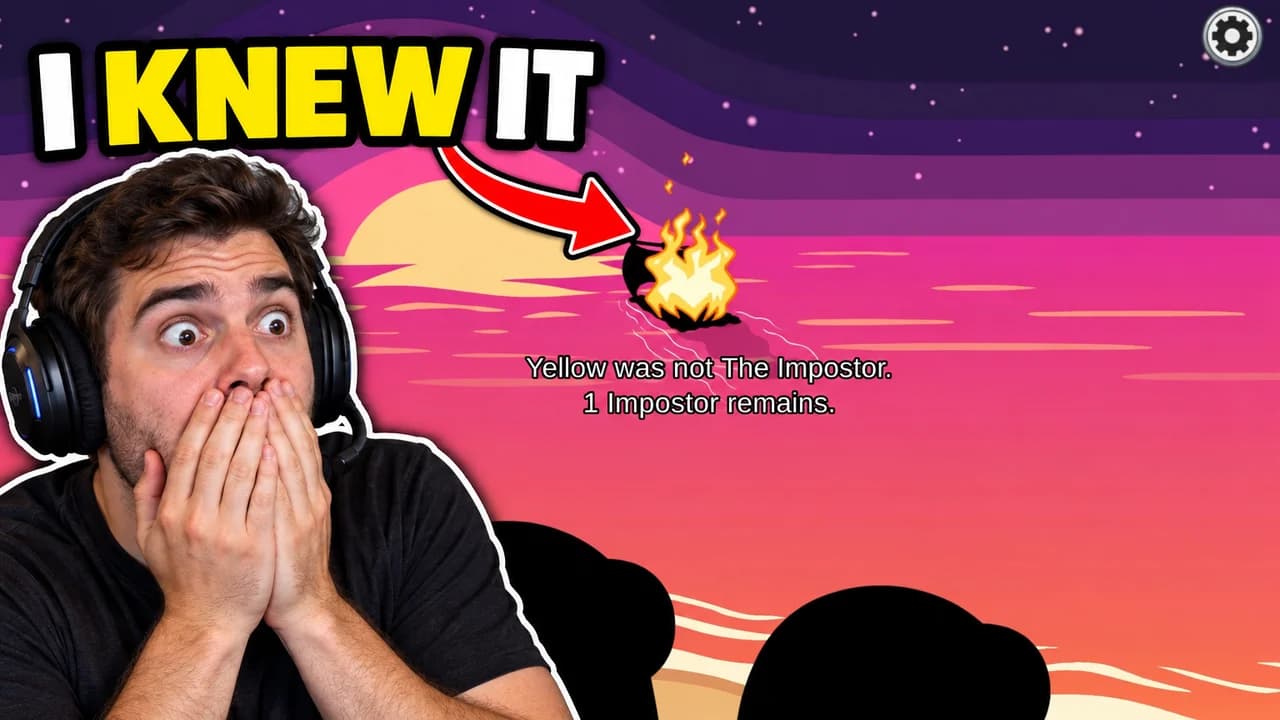
Crewmates have no expressions, so the pose does the work. Leaning out of a vent says guilt. Standing alone next to a body says "it wasn't me". Floating in space says it is over. If your channel shows your face, a face cam reacting next to the moment adds the emotion the beans cannot show.
Use the game's own screens
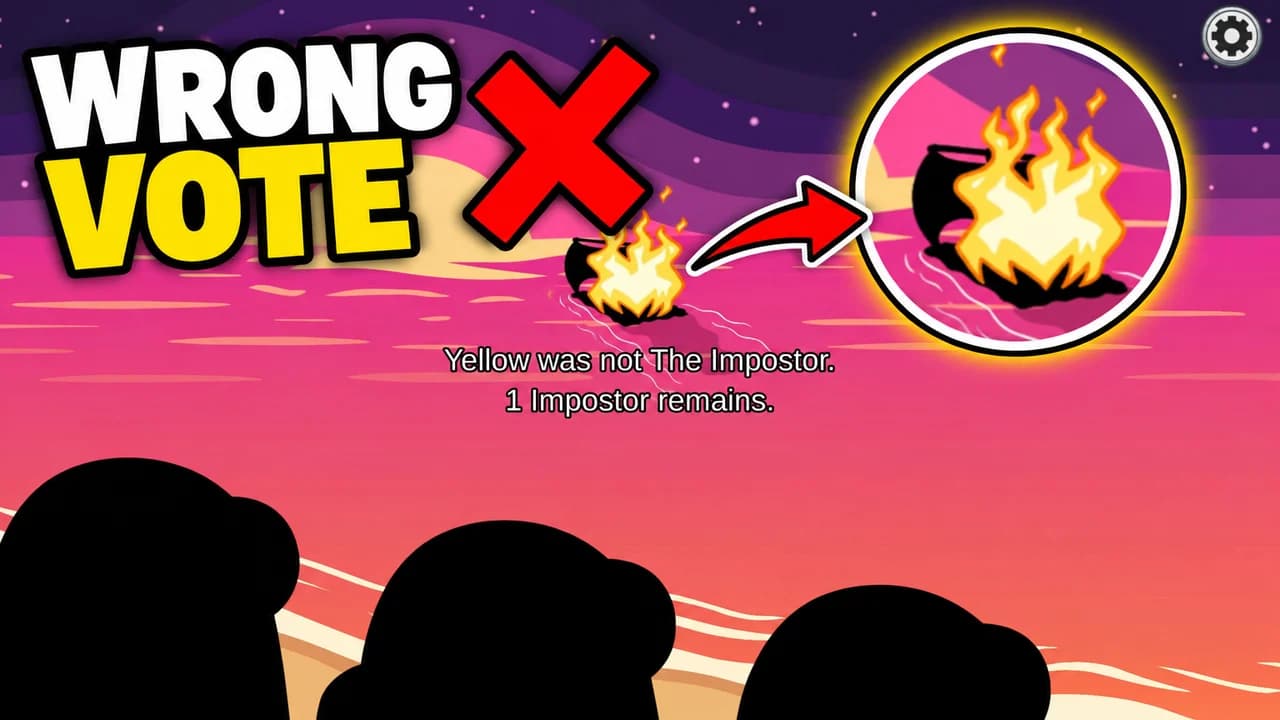
The fastest way to say "this is Among Us" is a piece of the real interface: the voting screen during an emergency meeting, the task bar, the kill button, the ejection scene against the stars. Players know these screens by heart, so even a corner of one is enough to set the scene and the stakes.
Five layouts for five kinds of video
Most Among Us videos fit one of five shapes: impostor, meeting, face cam, challenge or map. The layout recipes above give the structure of each. Impostor wins and Shapeshifter tricks suit the impostor layout. Detective and "wrong vote" videos suit the meeting. Mods and modes like hide and seek suit the challenge, and guides to vents and hiding spots suit the wide map view.
Text: the words players already say
Among Us has its own vocabulary: SUS, VENT, EJECTED, WRONG VOTE. Use it. One to three words in heavy rounded capitals, white or yellow, with a thick black outline. The words should add what the image cannot say on its own, not repeat the title. To compare heavy display fonts, see the YouTube thumbnail fonts guide.
Backgrounds: dark rooms, bright beans
An Among Us thumbnail background should be a real room from the map in the video, with the lights turned down. Electrical, the Reactor and the Cafeteria on The Skeld, the snow of Polus or the long halls of The Airship all work. For ejections, plain space with stars is enough. Keep the background darker and simpler than the crewmates. More ideas in the YouTube thumbnail backgrounds guide.
Size and checks
Upload at 1280 × 720 pixels, in 16:9; for file limits see the YouTube thumbnail size guide. Keep the bottom-right corner clear, where YouTube shows the video length. Then put your thumbnail next to other Among Us videos in the YouTube thumbnail preview and compare versions with the thumbnail tester.
No tool can predict how many people will click before a video is live. The real answer comes from YouTube. When you connect your channel, Base.Tube shows the real impressions and click-through rate of each video, so you can see which thumbnails actually worked.