Apex Legends thumbnail ideas
built for the drop.

A good Apex Legends thumbnail shows one legend, one moment and one number: the 20-bomb, the last squad standing, the climb to Predator. Below: 6 examples generated with Base.Tube to show what an Apex Legends thumbnail can look like, using the game's legends, maps and HUD, then the colours, five layouts and text that make an Apex thumbnail read at phone size.

See all 6 examples or open the Apex Legends thumbnail maker

Apex Legends thumbnail: Wraith in front of a huge red 20 over an aerial view of World's Edge, text 20 BOMB
Big number: a 20-kill game with Wraith
Examples

6 Apex Legends-style thumbnail examples

Every example is generated with Base.Tube in the game's own look, with its real characters and places. No real people, no copied thumbnails. Select one to see the prompt behind it.

  • Big number: a 20-kill game with Wraith
  • Legend close-up: is Pathfinder the best?
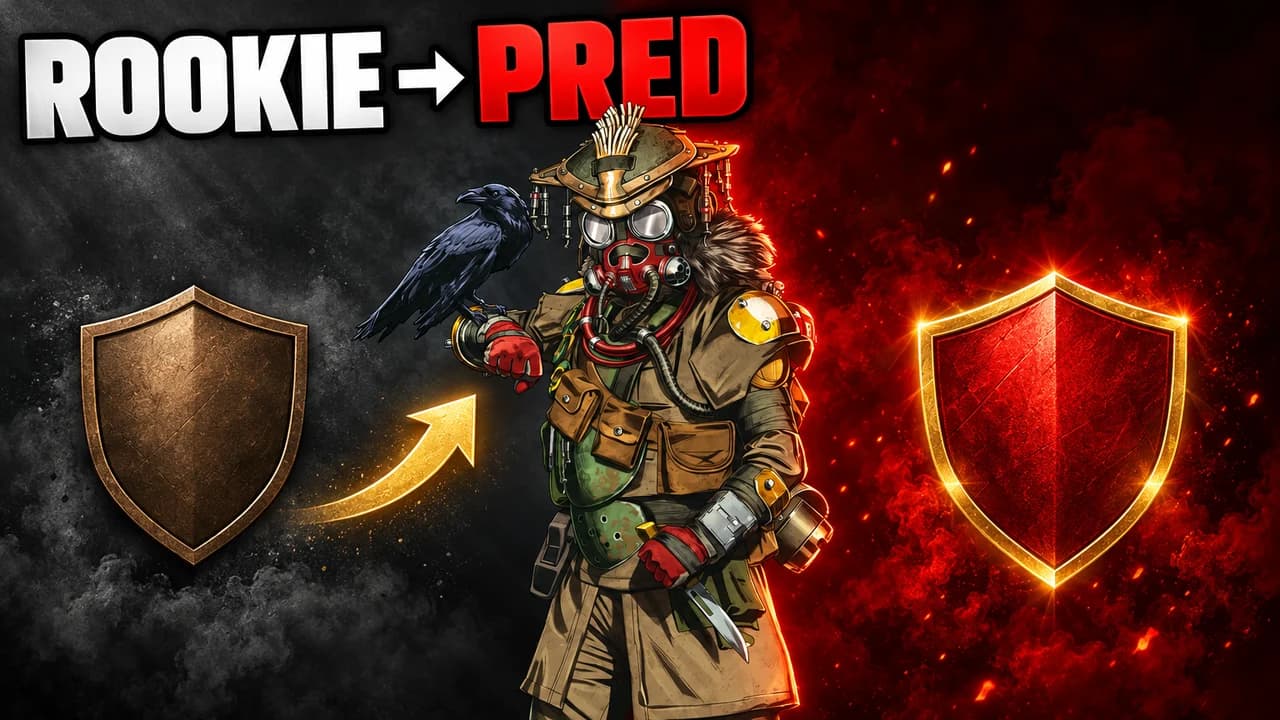
  • Rank climb: from Rookie to Predator
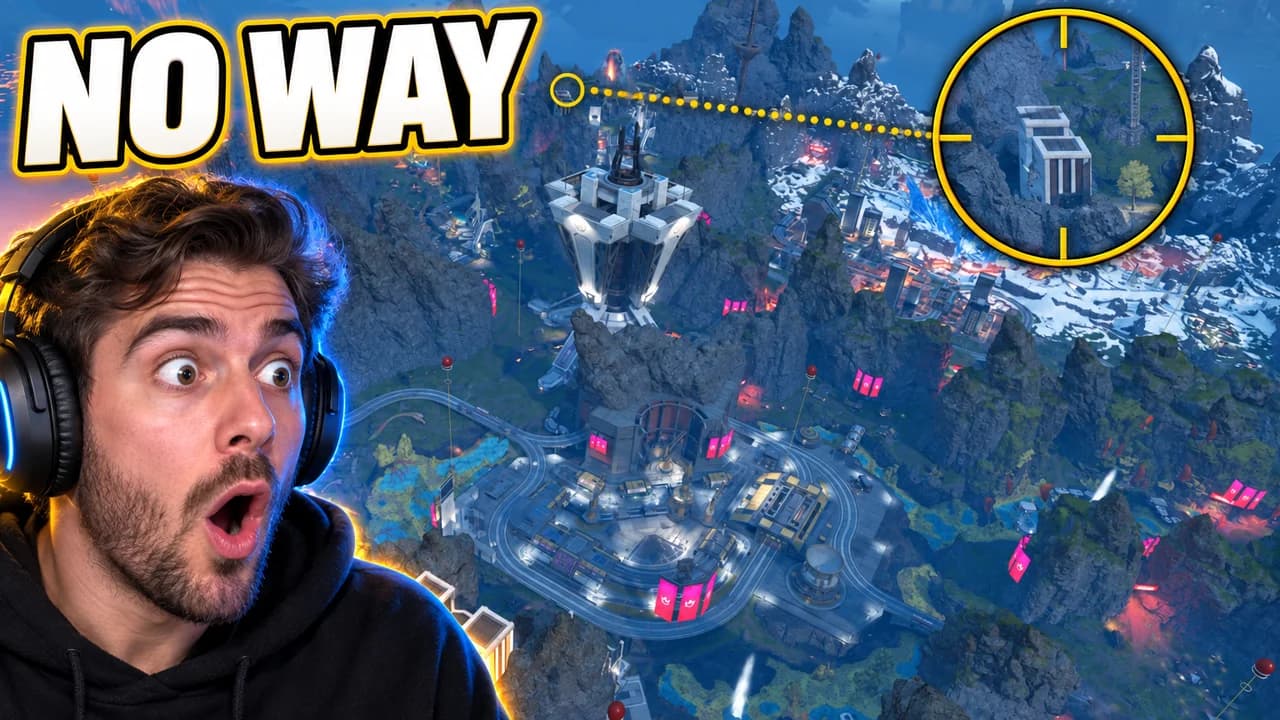
  • Face cam: a sniper shot across the map
  • Final ring: last one alive against three
  • Big number: 4,000 damage as Gibraltar, no words
Base.Tube Studio

Make an Apex Legends-style thumbnail for your next video.

Describe your video in one line. Base.Tube makes three Apex Legends thumbnails in your channel’s style, ready to download and test on YouTube.

  • Three ideas for each video
  • Your face and your channel’s style
  • Change anything in plain words
Generate an Apex Legends-style thumbnail (opens in a new tab)
Style recipe

The Apex Legends thumbnail style, rule by rule

Palette

  • Apex red #DA292AThe game's signature colour, danger and the main word
  • Ring orange #FF7A1AThe closing ring, fire and high-stakes endings
  • Shield purple #9B4DFFPurple shields, epic loot and moody skies
  • Kraber gold #FFC21ALegendary loot, the champion banner and big numbers
  • Sky blue #3FA9F5Daylight skies over Kings Canyon and World's Edge
  • Outline black #0B0B10Thick text outlines and drop shadows
Composition
One idea per image: a legend large in the frame doing their thing, a damage or kill number, a split before and after, a squad wiping in one wide shot. Show a piece of the HUD (kill feed, damage counter, the Champion banner) so the game is recognisable at a glance. Keep the bottom-right corner empty, because YouTube shows the video length there.
Text
Zero to three words in capitals, or one big number, in a heavy condensed font, white or red with a thick black outline. Numbers like "20 KILLS" or "4K DAMAGE" do most of the work.
Faces & expressions
Legends have strong faces and poses: Wraith's focus, Bloodhound's mask, Pathfinder's screen smile. Use the legend's own personality. A face cam of the creator reacting next to the fight adds the shock or the laugh.
Background
A real map: Kings Canyon, World's Edge, Olympus, Storm Point or Broken Moon. Bright skies for wins and guides; the orange ring and smoke for final circles. Blur it so the legend stays sharp.
Props & details
  • The kill feed, the damage counter and the Champion banner
  • Legendary gold loot and purple shields
  • The ring closing in orange
  • Legend abilities in action, like a zipline, a portal or a scan
  • Red arrows and circles on the key detail
Layout recipes

Five layouts for Apex Legends thumbnails

  1. Big Number

    The result as a number: kills, damage, rank points. A legend celebrates next to it with the Champion banner. For 20-bomb, 4K damage and win streak videos.

    Prompt idea16:9 YouTube thumbnail for an Apex Legends video: a legend celebrating under the Champion banner, a huge kill or damage number glowing in red, bright map behind, short text, keep the bottom-right corner clear, be creative with the composition

    Generate a Big Number layout in the Base.Tube Studio (new tab)
  2. Rank Climb

    A before and after: Rookie to Predator, bronze badge to master badge, first game to the hundredth. Each side gets its own colour so the change reads in a glance.

    Prompt idea16:9 YouTube thumbnail for an Apex Legends video: split before/after, the same legend with a low rank badge on a grey left side and a Predator badge on a glowing red right side, an arrow between, short text, keep the bottom-right corner clear, be creative with the composition

    Generate a Rank Climb layout in the Base.Tube Studio (new tab)
  3. Legend Close-Up

    One legend huge, with their ability in action. Made for legend guides, tier lists and "best legend this season" videos.

    Prompt idea16:9 YouTube thumbnail for an Apex Legends video: one Apex legend in a big close-up using their ability, strong rim light, map blurred behind, one or two words, keep the bottom-right corner clear, be creative with the composition

    Generate a Legend Close-Up layout in the Base.Tube Studio (new tab)
  4. Face Cam

    A creator's face reacting next to the fight: a clutch, a third party, a lucky Kraber. Use your own face; our examples use an invented streamer.

    Prompt idea16:9 YouTube thumbnail for an Apex Legends video: an invented streamer with a headset reacting with shock on one side, an intense Apex Legends fight on the other, short text, keep the bottom-right corner clear, be creative with the composition

    Generate a Face Cam layout in the Base.Tube Studio (new tab)
  5. Final Ring

    A wide shot of the end of the match: the ring closing, squads fighting over the last cover. One clear threat, lots of tension.

    Prompt idea16:9 YouTube thumbnail for an Apex Legends video: wide shot of a final ring closing in orange, one squad holding the last building, enemies on all sides, smoke, one or two words, keep the bottom-right corner clear, be creative with the composition

    Generate a Final Ring layout in the Base.Tube Studio (new tab)

What makes an Apex Legends thumbnail work

Apex Legends videos compete with every other battle royale on YouTube, and with each other. The thumbnails that stand out show one legend, one moment and one result, in a frame that says "Apex" before the viewer reads a word.

Many viewers see your thumbnail small: on a phone, in the sidebar, on a TV. A full gameplay frame turns into noise at that size; enemies become dots and the HUD becomes a blur. A big legend, a big number and a clear colour survive. Every rule on this page follows from that.

Let one number tell the result

Apex is a game of numbers: kills, damage, rank points, squads left. A huge "20" or "4K" says more than any sentence. Make the number the biggest thing in the frame after the legend, in red or gold with a thick black outline. If the number is there, you often need no other text.

Pick the right legend

Each legend has a silhouette fans recognise instantly: Wraith's portal, Pathfinder's screen face, Bloodhound's mask, Gibraltar's dome shield. Show the legend you played in the video, large, using their ability. One legend reads better than a full squad. For tier lists and "best legend" videos, the legend in question is the whole thumbnail.

Five layouts, one per video type

Most Apex Legends videos fit one of five shapes:

  • Big number: the result as a number next to the legend.
  • Rank climb: a split frame from a low badge to a high one.
  • Legend close-up: one legend huge, for guides and tier lists.
  • Face cam: your reaction next to a clutch or a crazy shot.
  • Final ring: a wide shot of the last circle and the squads left.

Pick the layout that matches the promise of your video. Keeping the same layout across a series helps returning viewers spot your videos.

Colours with a meaning

The game has its own colour code: red is Apex itself, purple and gold are the best shields and loot, orange is the ring. Use red for your main word, gold for numbers and loot, and orange for final-circle tension. Keep the rest of the frame calm so the accent stands out.

Text: numbers first, then words

Three words is the upper limit, and a number often replaces them. Use a heavy condensed font with a thick black outline, like the game's sharp menus. See the YouTube thumbnail fonts guide for options.

An Apex Legends thumbnail background

Use a real map: Kings Canyon, World's Edge, Olympus, Storm Point or Broken Moon. Bright daylight for wins and guides, the orange ring and smoke for endings. Blur it so it never fights the legend. More ideas in the YouTube thumbnail backgrounds guide.

Size and checks

Upload at 1280 × 720 pixels, in 16:9. For file size and format limits, see the YouTube thumbnail size guide. Keep the bottom-right corner empty, where YouTube shows the video length. Then put your thumbnail next to other Apex videos in the YouTube thumbnail preview and compare versions with the thumbnail tester. No tool can predict how many people will click before a video is live. When you connect your channel, Base.Tube shows the real impressions and click-through rate of each video.


Checklist

Do this, not that

Do

  • Show one legend, big enough to recognise at phone size.
  • Let one number tell the result, such as kills, damage or rank.
  • Show a piece of the HUD so the game is recognisable in a glance.
  • Keep the text to three words or fewer, with a thick dark outline.
  • Leave the bottom-right corner clear for the video length.

Don't

  • Don't show a full gameplay frame at normal zoom; the enemies become dots.
  • Don't put six legends in one image; pick the one your video is about.
  • Don't fill the frame with stats tables, badges and banners all at once.
  • Don't use thin fonts or small text; they disappear on a phone.
FAQ

Questions about Apex Legends thumbnails

What makes a good Apex Legends thumbnail?
One legend shown large, one moment and one number: a 20-kill game, a Predator badge, a final ring against three squads. Use red for the main word, gold for loot and numbers, and show a piece of the HUD. Check it at phone size; if you cannot tell what happened in one second, remove something.
What is a good Apex Legends thumbnail background?
A real map that matches the mood. Bright skies over Kings Canyon or World's Edge suit wins and legend guides; the orange ring and smoke suit final circles and clutches; Olympus and Storm Point give clean, open backdrops. Blur the background so the legend and the number stay in front.
What font do Apex Legends thumbnails use?
Most use a heavy, condensed, all-caps font with a thick black outline, close to the game's own sharp menus. Free fonts with a similar feel include Anton, Bebas Neue and Teko, all on Google Fonts. Size and outline matter more than the exact font.
How do I make an Apex thumbnail for a 20-bomb or 4K damage game?
Make the number the hero. Put the legend you played next to it, add the Champion banner or the kill feed, and keep the rest of the frame calm. The number can replace the text completely: a huge "20" in red with a thick outline already says everything.
How do I make an Apex Legends thumbnail?
Decide what the video promises: a win, a rank climb, a legend guide or a clutch. Pick the legend and the moment that show it, make them large, add one to three words or one number in a heavy outlined font, export at 1280 × 720 pixels and compare it in a feed preview.
Is there a free Apex Legends thumbnail maker?
Any free image editor works if you follow the rules on this page. If you would rather describe your video and get options, the Base.Tube Studio generates Apex Legends thumbnails: pick one of the five layouts, say what happens in your game, and keep the version you like.
Base.Tube Studio

Make an Apex Legends-style thumbnail
for your next video.

Describe your video, pick a layout, and generate options in the Base.Tube Studio. Once the video is live, connect your channel to see its real impressions and click-through rate.