Apex Legends thumbnail maker
from one line about your video.
Say what happens in your video: "my first 20-kill game", "Rookie to Predator", "1 vs 3 in the final ring". Base.Tube turns it into three Apex Legends thumbnails with real legends, maps and HUD, in your channel’s style.



Made with Base.Tube. In the Studio you get three ideas per video.
Make one like this (opens the Base.Tube Studio in a new tab)Make a Apex Legends thumbnail in three steps
Describe your video
Paste the video link or the script, or write one line about what happens: "I won with 1 HP", "Bronze to Unreal".
Get three ideas
Base.Tube makes three thumbnails in your channel’s style, with your face if you add a photo to your profile once.
Change, review, download
Change anything in plain words, get a review of each idea, then download all three for YouTube Test & Compare.
A thumbnail for every kind of Apex Legends video
- 01
Kills, damage and wins
Type the number that makes the game special: kills, damage, wins in a row. The Studio makes it huge next to the legend you played, with the Champion banner or the kill feed.
Example idea“My first 20-kill game with Wraith”
Try this idea in the Base.Tube Studio (new tab) - 02
Ranked climbs
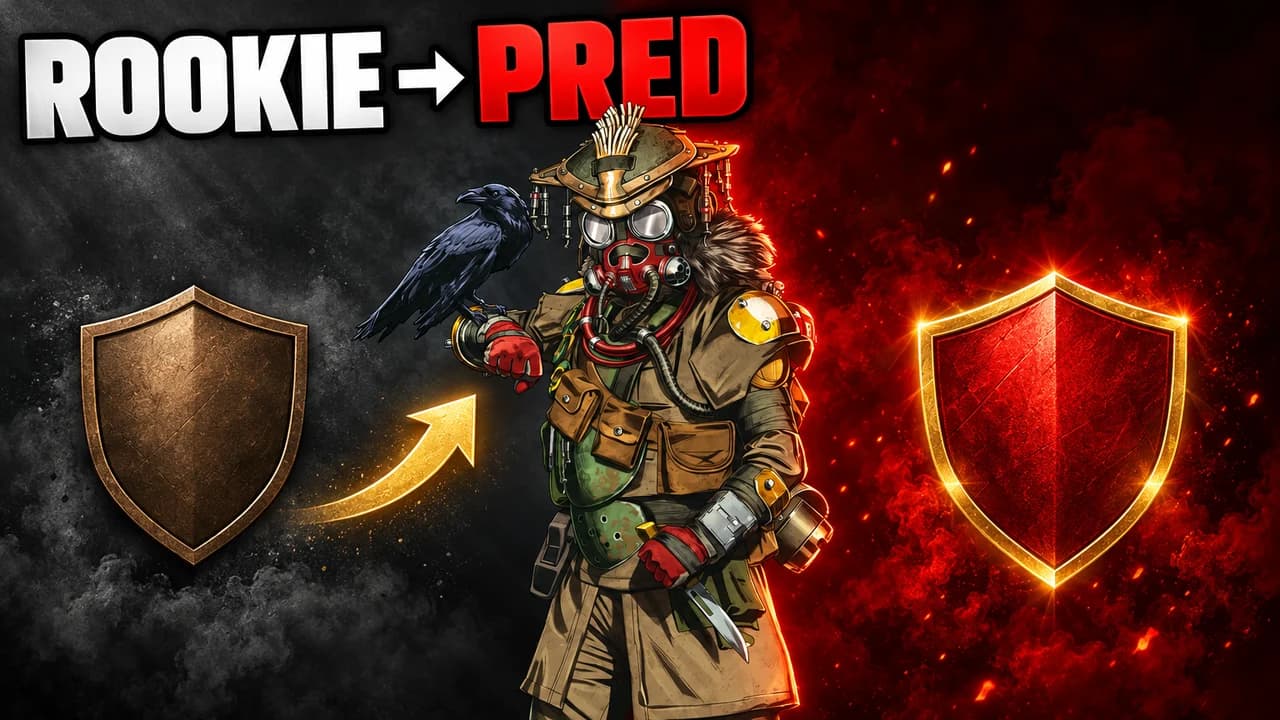
Say where you started and where you ended. You get a split frame from the low badge to the high one, each side in its own colour, readable in one glance.
Example idea“Rookie to Predator in one season with Bloodhound”
Try this idea in the Base.Tube Studio (new tab) - 03
Legend guides and tier lists
Name the legend and the question. The Studio shows that legend huge, using their ability, with one or two words on top.
Example idea“Is Pathfinder the best legend this season?”
Try this idea in the Base.Tube Studio (new tab) - 04
Face-cam reactions
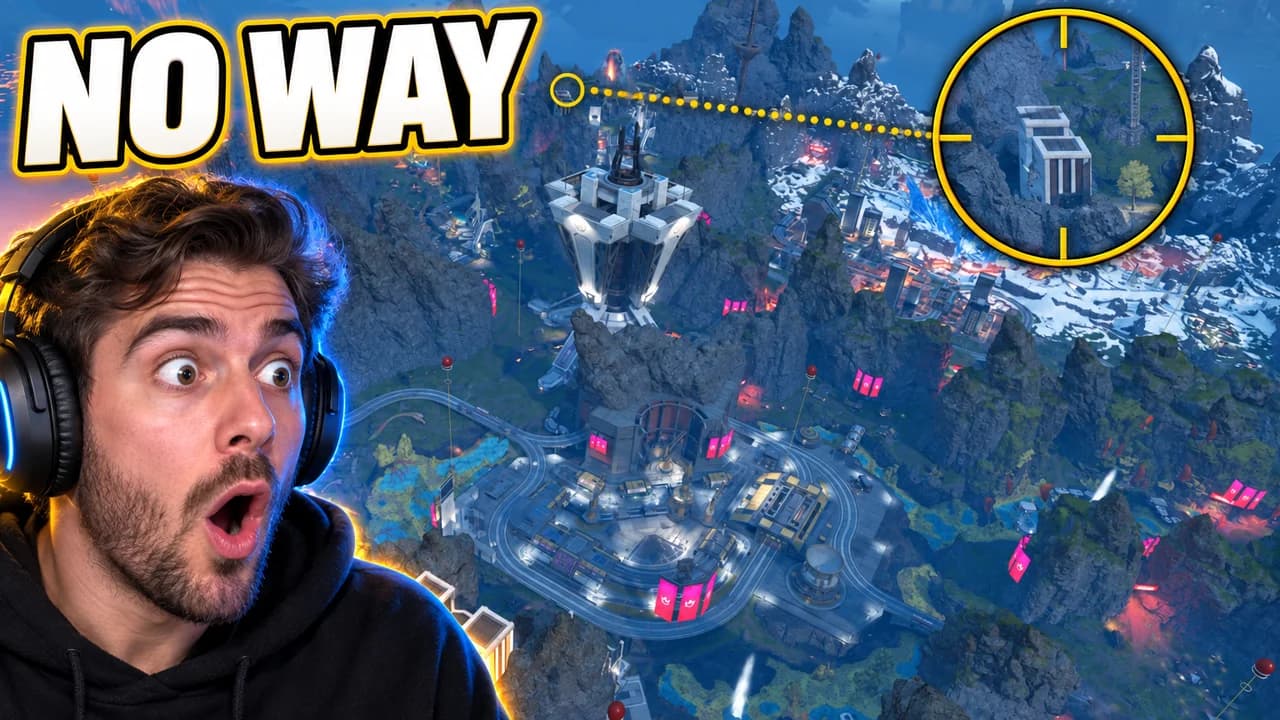
Add a photo of your face to your channel profile once. Every idea then shows you reacting next to the fight: the clutch, the third party, the Kraber shot.
Example idea“The longest sniper shot I have ever hit”
Try this idea in the Base.Tube Studio (new tab) - 05
Final rings and clutches
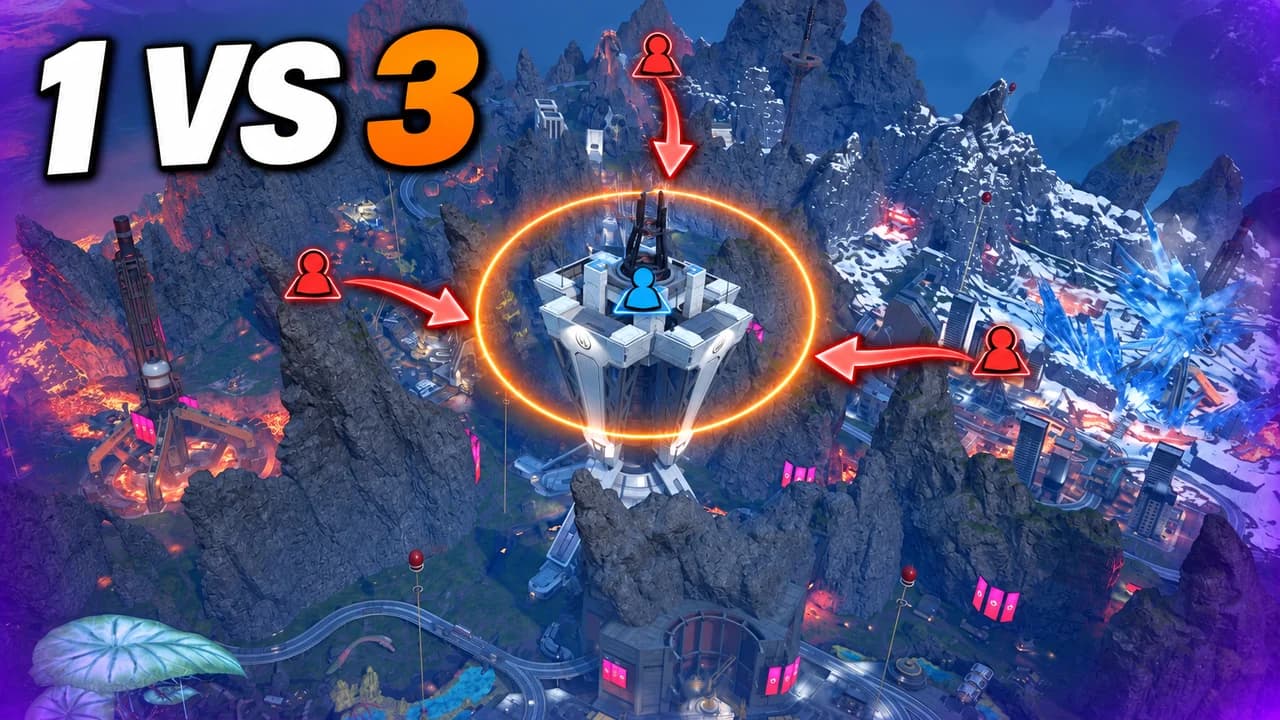
Describe the ending: how many squads, which map, what you had left. You get a wide shot of the ring closing and the fight for the last cover.
Example idea“One against three in the final ring on World's Edge”
Try this idea in the Base.Tube Studio (new tab)
Your next Apex Legends video,
three thumbnails ready.
Paste the video link or write one line about it. You get three Apex Legends thumbnails with real characters and places, in your channel’s style.
- Three ideas for each video
- Your face and your channel’s style
- Change anything in plain words
Apex Legends thumbnail maker: questions
What should I type to get a good Apex Legends thumbnail?
Can it show real Apex legends and maps?
Can I put my own face in the thumbnail?
What if the ideas are not quite right?
Why not an Apex Legends thumbnail template?
Will a better thumbnail get my Apex videos more views?
Thumbnails for other games
 Among Us thumbnail maker6 examples
 ARC Raiders thumbnail maker6 examples
 Battlefield 6 thumbnail maker6 examples
 Call of Duty thumbnail maker6 examples
Your next Apex Legends video
deserves three good ideas.
Describe the video, get three thumbnails in your style, change anything in plain words, and test them with YouTube Test & Compare.