Anime thumbnail ideas
for reactions, theories and rankings.

A good anime thumbnail borrows the language of anime itself: glowing eyes, speed lines, a dramatic close-up and one bold word. Below: 6 original anime thumbnail examples with characters we invented, the style rules behind them, and five layouts for reactions, theories, rankings, recommendations and edits.

See all 6 examples

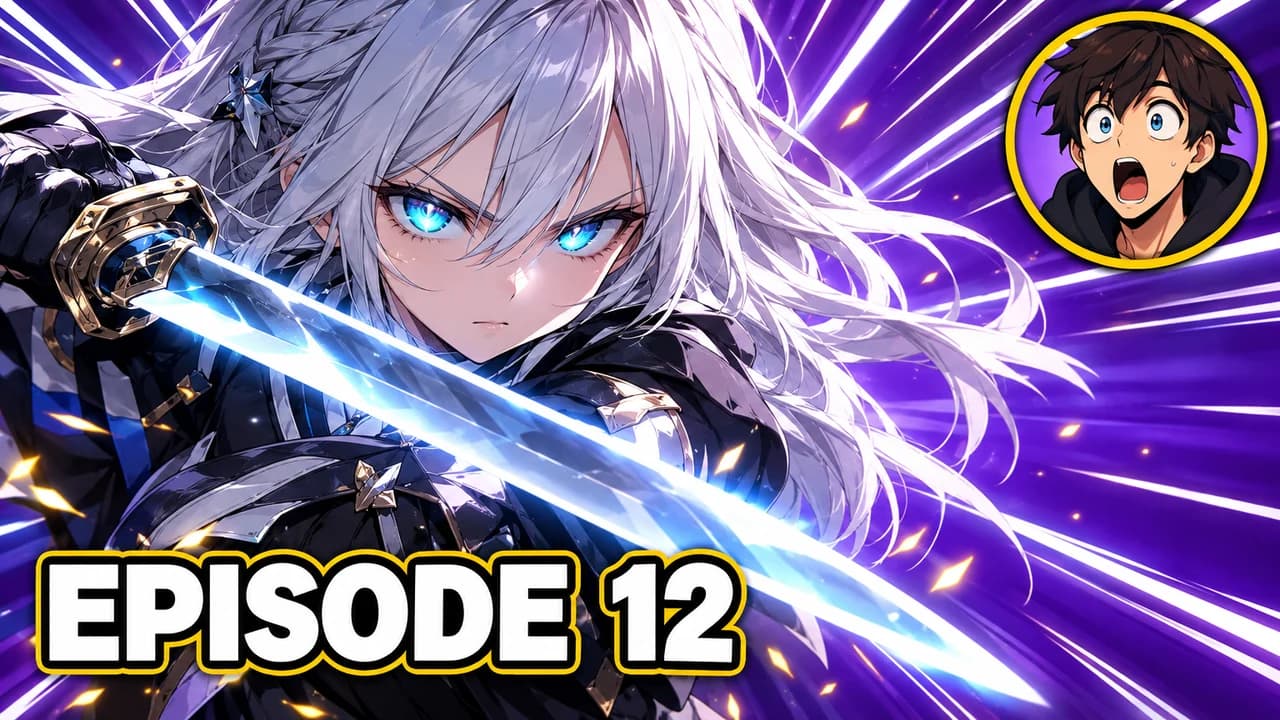
Anime reaction thumbnail: a silver-haired swordswoman with glowing cyan eyes on speed lines, a small shocked face in the corner, text EPISODE 12
Reaction: the scene big, your face small
Examples

6 Anime thumbnail examples

Every example is an original image generated with Base.Tube: no real people, logos or copied thumbnails. Select one to see the prompt behind it.

  • Reaction: the scene big, your face small
  • Theory: half in shadow, one detail circled
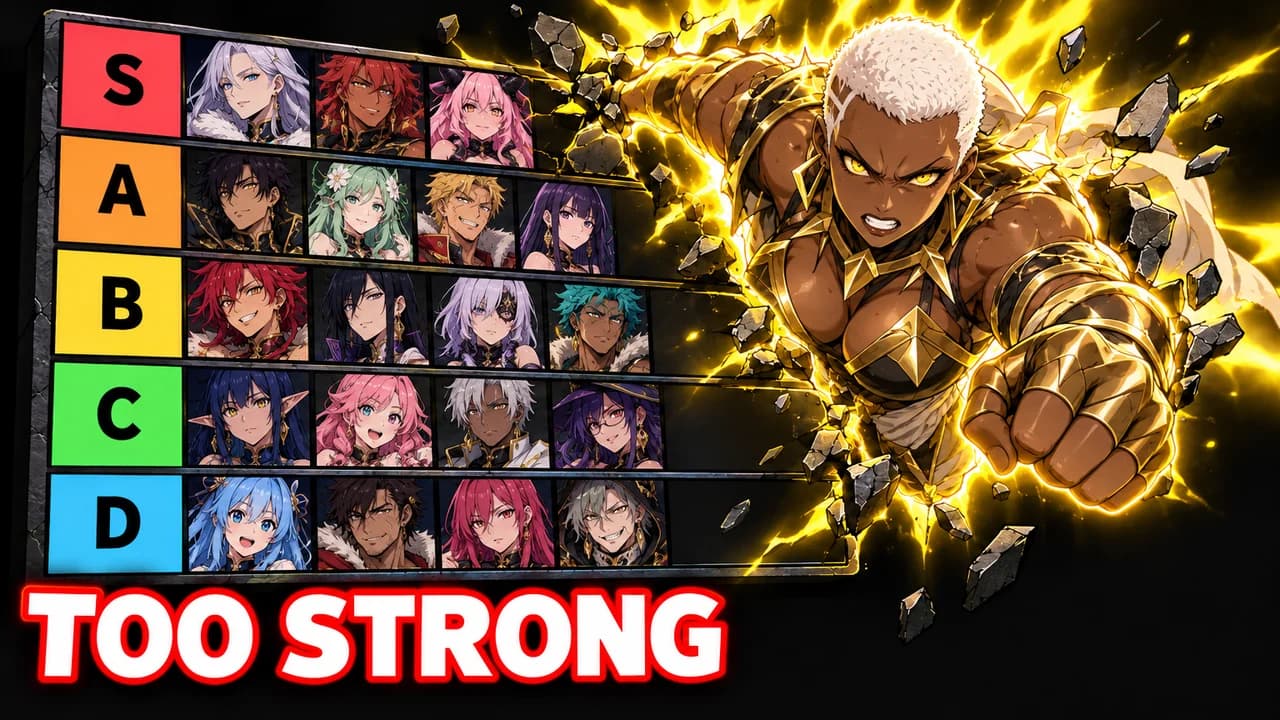
  • Tier list: one character breaks the ranking
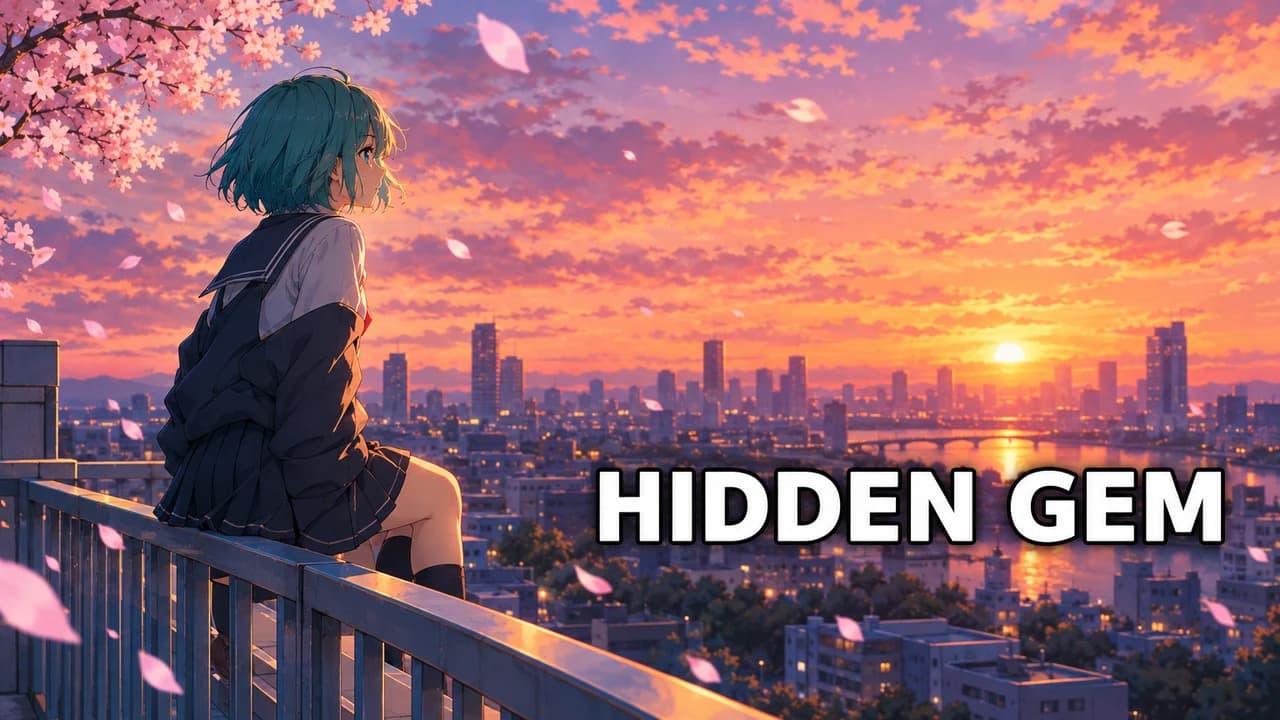
  • Recommendation: sell the mood, not the plot
  • Edit: one eye, neon and glitch, almost no text
  • Theory: the villain under a red moon, no words
Base.Tube Studio

Make an Anime thumbnail for your next video.

Describe your video in one line. Base.Tube makes three Anime thumbnails in your channel’s style, ready to download and test on YouTube.

  • Three ideas for each video
  • Your face and your channel’s style
  • Change anything in plain words
Generate an Anime-style thumbnail (opens in a new tab)
Style recipe

The Anime thumbnail style, rule by rule

Palette

  • Power violet #7B2FF7Auras, glows and night skies
  • Sakura pink #FF7EB6Soft romance and slice-of-life accents
  • Energy cyan #29E0FFGlowing eyes, sparks and highlight text
  • Impact red #FF2E3FShock moments, theory circles and danger
  • Ink black #0D0B14Dark backgrounds and thick text outlines
  • Manga white #FFFFFFSpeed lines, text and paper textures
Composition
One character large on a third, often a close-up on the eyes or the face, with the text on the other side. Creator reactions put a small face in a corner beside the scene. Keep the bottom-right corner empty for the video length.
Text
One to three words in capitals, in a heavy brush or bold sans-serif font, white or cyan with a thick black outline. A few Japanese-style sound-effect shapes can decorate, but the readable text should be in the viewer's language.
Faces & expressions
Anime expressions pushed to the limit: shaking pupils, a tear on a smile, a cold side-eye, a battle scream. Creator faces react with one big emotion. Synthetic people only.
Background
Radial speed lines or a burst of light for action, a painted sky at dusk for emotional moments, a dark gradient with a glow for theories.
Props & details
  • Radial speed lines and manga screentone
  • Glowing eyes and auras
  • A tier list grid with letters S to D
  • Red theory circles and a question mark
  • Sakura petals, rain or sparks for mood
Layout recipes

Five layouts for Anime thumbnails

  1. Reaction

    Episode reactions: the scene that shocked you on most of the frame and your face, small, in a corner. One word for the feeling.

    Prompt idea16:9 YouTube thumbnail, anime reaction, original anime swordswoman with glowing cyan eyes on the left two thirds, speed lines, small invented creator face with jaw dropped top right, bold text "EPISODE 12", bottom-right corner empty, original characters, no logos, no real people

    Generate a Reaction layout in the Base.Tube Studio (new tab)
  2. Theory

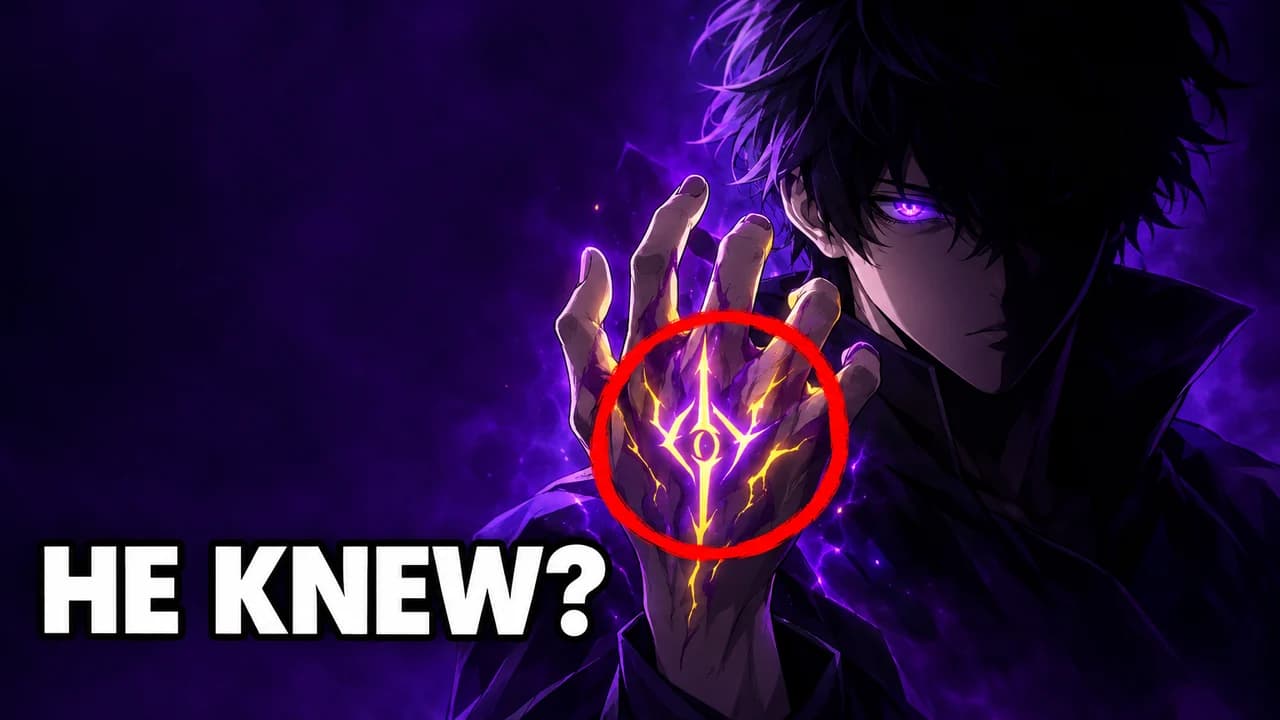
    Theories and lore videos: a mysterious character half in shadow, a red circle on a detail and a question. Dark colours, one glow.

    Prompt idea16:9 YouTube thumbnail, anime theory, original anime boy half in shadow with one glowing violet eye on the right third, red circle on a strange mark on his hand, dark gradient, bold text "HE KNEW?" on the left, bottom-right corner empty, original characters, no logos, no real people

    Generate a Theory layout in the Base.Tube Studio (new tab)
  3. Tier List

    Rankings and power scaling: a tier grid with small original characters placed in rows, one character breaking out of the top row.

    Prompt idea16:9 YouTube thumbnail, anime tier list, colourful grid with rows S A B C D, small original anime characters as icons, one muscular original hero bursting out of the S row with an aura, bold text "TOO STRONG", bottom-right corner empty, original characters, no logos, no real people

    Generate a Tier List layout in the Base.Tube Studio (new tab)
  4. Recommendation

    "Watch this next" videos: a calm, beautiful key-visual style scene that sells the mood, with a short promise.

    Prompt idea16:9 YouTube thumbnail, anime recommendation, original anime girl on a rooftop at dusk with sakura petals, painted pink and orange sky, soft light, bold white text "HIDDEN GEM" on the right, bottom-right corner empty, original characters, no logos, no real people

    Generate a Recommendation layout in the Base.Tube Studio (new tab)
  5. Edit

    AMVs and edits: a high-contrast close-up with glitch or neon effects, very little text, sometimes none.

    Prompt idea16:9 YouTube thumbnail, anime edit, extreme close-up of an original anime character's face with red neon rim light, glitch lines and black background, small text "EDIT" in the top-left corner, bottom-right corner empty, original characters, no logos, no real people

    Generate a Edit layout in the Base.Tube Studio (new tab)

Speak the language of anime

Anime has its own visual grammar, and fans read it instantly. Speed lines mean action. Glowing eyes mean power. A face half in shadow means a secret. A tear on a smile means a goodbye. An anime YouTube thumbnail that uses this grammar tells viewers the mood of the video before they read a word.

Every example on this page uses original characters we invented, drawn in an anime style. No character, key visual or logo from an existing series appears in them.

One character, one emotion

Anime scenes often have many characters. A thumbnail cannot. Pick one, put them large on one third of the frame, and give them one clear emotion: determination, shock, sadness, a cold smile. Close-ups on the eyes work very well because anime eyes are drawn to carry emotion.

Five layouts for anime channels

  • Reaction: the scene on most of the frame, your face small in a corner.
  • Theory: a character half in shadow, a red circle on a detail, a question.
  • Tier list: a ranking grid with one character breaking out of it.
  • Recommendation: a calm, beautiful scene that sells the mood.
  • Edit: a neon or glitch close-up for AMVs and edits, almost no text.

Keep one layout per series, so your theory videos and your reactions are easy to tell apart.

Colour moods

Choose the palette from the feeling of the video, not from the series:

  • Power and battles: violet, cyan and white, with a glow.
  • Mystery and theories: black, deep violet and one red accent.
  • Calm and romance: pink, orange and soft blue skies.
  • Comedy: flat bright colours and big outlined text.

Text

One to three words in capitals: "EPISODE 12", "HE KNEW?", "HIDDEN GEM". Use a heavy brush font or a bold sans-serif with a thick black outline; the YouTube thumbnail fonts guide lists free fonts that stay readable when small. Japanese sound-effect shapes can decorate the frame, but the words people need to read should be in their language.

Spoilers

Anime viewers care about spoilers. A reaction thumbnail that shows the big twist of a new episode can annoy the very people you want to reach. Show the moment just before, a character's reaction, or a question instead.

Size and the final check

Export at 1280 × 720 pixels in 16:9; the YouTube thumbnail size guide has the current limits. Keep the bottom-right corner clear for the video length. For anime Shorts, see the YouTube Shorts thumbnail ideas. Then check your thumbnail in the YouTube thumbnail preview and compare two versions with the thumbnail tester.
Checklist

Do this, not that

Do

  • Use anime visual language, such as speed lines, glowing eyes and dramatic close-ups.
  • Keep one character large; small character crowds turn into noise.
  • Write the readable text in your viewers' language, in a bold font.
  • Match the mood to the video, whether action, mystery or calm.
  • Leave the bottom-right corner clear for the video length.

Don't

  • Don't paste official key art, screenshots or a series logo as your thumbnail.
  • Don't spoil the twist of a new episode in the thumbnail.
  • Don't use thin, decorative fonts that vanish at phone size.
  • Don't fill a tier list thumbnail with dozens of tiny faces.
FAQ

Questions about Anime thumbnails

What makes a good anime thumbnail?
One character, one emotion, one or two words. Use the visual tools anime fans already know, like speed lines, glowing eyes and extreme close-ups, and pick a colour mood that fits the video: violet and cyan for power, dark red for mystery, pink and orange for calm. Then check it at phone size.
Can I use anime screenshots in my YouTube thumbnail?
The examples on this page never do: every character is original. Anime characters, key art and logos belong to their studios and publishers. Read the rights holders' terms before you use their art on your channel, or create an original anime-style image like the ones here.
How do I make an anime reaction thumbnail?
Put the moment you react to on most of the frame and your face small in a corner, with one clear emotion: jaw dropped, tears, laughing. Add the episode number or one word for the feeling. Avoid showing the twist itself; show the build-up or the reaction instead, so you do not spoil it.
What is a good anime thumbnail background?
Radial speed lines or a burst of light for action, a painted dusk sky for emotional videos, and a dark gradient with one glow for theories. All three keep the character in front. The YouTube thumbnail backgrounds guide has more options.
What font works for anime thumbnails?
A heavy brush font or a bold sans-serif with a thick black outline. Free options on Google Fonts include Bangers for a comic look and Anton or Bebas Neue for a cleaner one. Keep Japanese-style characters as decoration only, unless your audience reads Japanese.
Is there a free anime thumbnail maker?
Any free image editor works if you have your own art. If you would rather describe the video and pick from several options, the Base.Tube Studio generates anime-style thumbnails with original characters in these layouts. Choose a layout, describe the scene and keep the version you like.
Base.Tube Studio

Make an Anime thumbnail
for your next video.

Describe your video, pick a layout, and generate options in the Base.Tube Studio. Once the video is live, connect your channel to see its real impressions and click-through rate.