What a chess thumbnail has to show
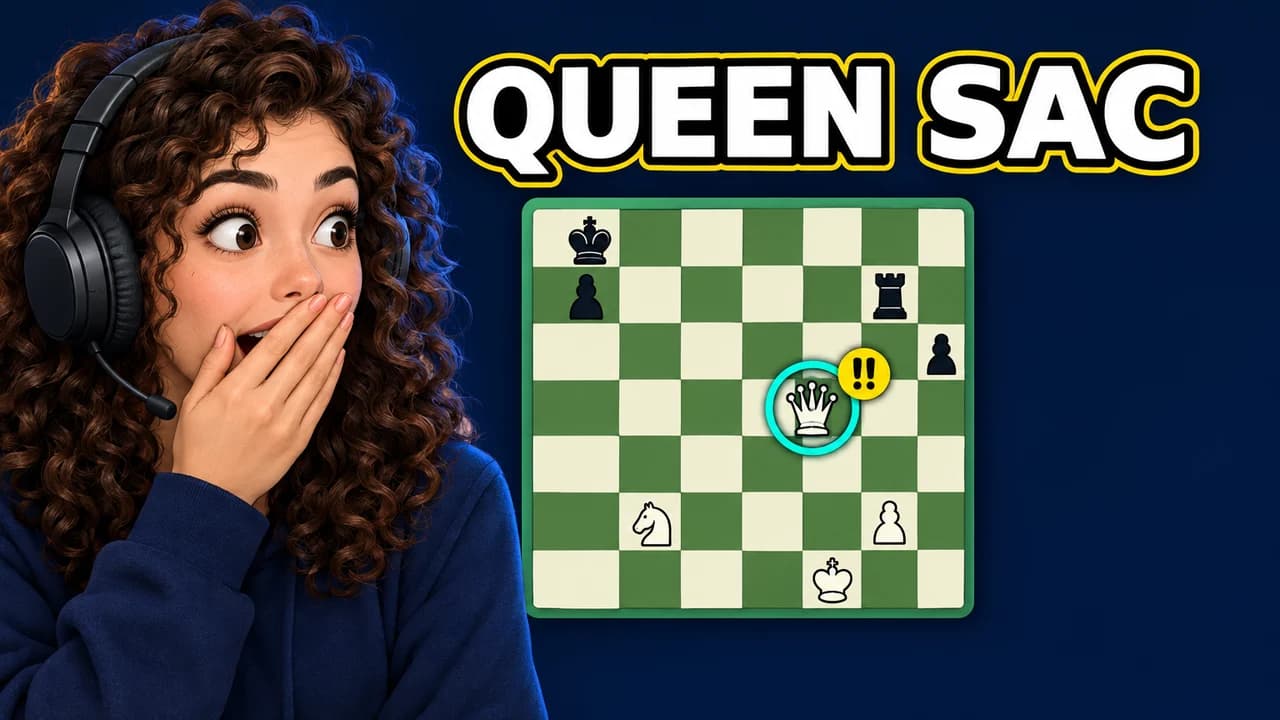
A chess video is about a decision: one move that wins, one move that loses, one player who should not have won. The thumbnail has to show that decision in a single glance, to a viewer scrolling past on a phone. That rules out the full board in most cases. Sixty-four squares at thumbnail size become a grid of dots. Crop to the four to six squares where the action is, and make the key piece big.
Speak the chess symbols
Chess players already read a visual language from years of online games and analysis tools. Use it and they understand your thumbnail before they read a word.
- '!!' and '??': annotation marks for a brilliant move and a blunder, usually shown in teal and red.
- Analysis arrows: translucent arrows on the board showing a move or a threat. Green or orange for the good move, red for danger.
- The evaluation bar: the vertical black-and-white bar engines show next to the board. A bar that swings in one move is a story on its own.
- Ratings: numbers like 400 or 2800 tell players the level instantly. Two of them facing off is a full premise.
- The clock: a chess clock with one second left means a time scramble.
Use one or two of these per thumbnail, not all of them.
Faces: disbelief is the house emotion
Chess YouTube runs on reactions. A face with hands on the head, a hand over the mouth or a slow suspicious squint tells the viewer something surprising happened on the board. Put the face on one third and the board on the other, with the eyes looking toward the key square.
Use your own face or a synthetic one. Many people search for the look of specific chess creators; the structure is free to reuse, but their faces, photos and thumbnails are not.
Five layouts for chess videos
- Brilliant move: the winning piece glowing on its square with a teal '!!' badge and an arrow.
- Blunder: the hanging piece with a red '??' badge and the face that just noticed.
- Rating battle: low rating against high, human against bot, or a speedrun line climbing.
- Opening trap: the board from the player's side, red arrows on the trap line and a visual pun.
- Chess meme: cartoon pieces with faces, for the jokes every chess player knows.
Keep one layout per series. A viewer who liked your last speedrun should recognise the next one without reading the title.
Boards and backgrounds
A flat 2D board in green and cream is the clearest option because players see it every day online. A 3D board looks more dramatic and works for close-ups of one or two pieces, shot from a low angle. Either way, put it on a dark, plain background so the light squares glow and the badge stands out. The YouTube thumbnail backgrounds guide has more ideas for backgrounds that stay out of the way.
Text: a rating or three words
The best chess thumbnail text is often a number: "400 VS 2800", "MATE IN 3", "0:01". Otherwise, one to three words in capitals: "BLUNDER", "OPENING TRAP", "BEAT THE BOT". Use a heavy, clean sans-serif with a dark outline; chess viewers expect a tidier look than gaming channels. The YouTube thumbnail fonts guide lists free fonts that stay readable when small.
Show only positions that really appear in the video. Chess viewers check, and a fake position costs you trust in the comments.
Size and the final check
Export at 1280 × 720 pixels in a 16:9 frame; the YouTube thumbnail size guide has the current limits. Keep the bottom-right corner clear, where YouTube shows the video length. Then put your thumbnail next to other chess videos in the YouTube thumbnail preview and compare two versions with the thumbnail tester. No tool can predict how many people will click before the video is live; the real answer comes from YouTube once it is published.